-
Media Format
-
DVD-ROM
-
Compatibility
-
Windows/Mac/Linux
This is the full global edition of X-Plane with over 80GB of world scenery on 8 double-layer DVDs in an exclusive metal packaging box.
After almost 4 years, the long awaited X-Plane 10 is here. The X-Plane series has offered a highly competitive alternative to market-leading Microsoft Flight Simulator for almost 20 years (X-Plane 1 debuted in 1993). X-Plane works on a different modeling theory than MFS. As a result, aircraft handling is more realistic.
While other flight simulators imitate known flight characteristics of an aircraft, X-Plane “predicts” how an airplane will fly. It does this by estimating how a plane will fly with different weight, mass, thrust, shape, and control deflections inputs. For example, X-Plane programmers examine a wing by breaking down the airspeed, air density, Mach number, angle of attack and side slip of the air hitting it. In short, they use the plane’s force on the surrounding air to gauge flight characteristics.
The result is that the flying experience is very consistent across a wide range of aircraft. Each one feels “real” because its own characteristics are being used to determine its flight behavior. This makes the flying experience more realistic than competing simulators.
Let’s look at the features...
Aircraft
X-Plane 10 features a solid cross-section of 30 pre-installed aircraft. Users can choose from a Cessna 172 to a Bell 206 Jet-Ranger helicopter. Are you bored with life on Earth and ready to head to the stars? Jump in the Space Shuttle and take it for a spin.
Aircraft options include commercial jets, VTOL aircraft like the AV8-B Harrier, gliders, and a myriad of single and multi-engine configurations. And that’s just the beginning. X-Plane fans have created thousands of additional aircraft you can find on the web. You can even build your own.
Standard X-Plane 10 aircraft include
-
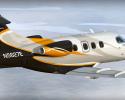
Cirrus Vision SF50
-
X-15 and X-30 X-Planes
-
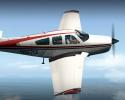
Beechcraft Baron 58
-
Great Planes PT-60 RC plane
-
Cessna 172SP
-
McDonnell Douglas KC-10 Extender
-
Piaggo P.180 Avanti
-
Boeing 747-400 and 747-100
-
Stinson L-5 Sentinel
-
Bell-Boeing V-22 Osprey
-
ASK-21 glider
-
Boeing B-52G Stratofortress
-
Bell 47 helicopter
-
Van’s RV-3, 4, 6, 7, 8, 9, 10
-
Beechcraft King Air C90B
-
Rockwell B-1B Lancer
-
F-22 Raptor
-
Viggen JA37
-
Lockheed SR-71 Blackbird
-
F-4 Phantom II
-
Bombardier Canadair CL-415
-
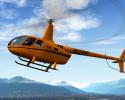
Bell 206 helicopter
-
Boeing 777-200
-
Boeing AV-8B Harrier II
-
Piper PA-46 Malibu
-
Sikorsky S-61 helicopter
-
Northrop B-2 Spirit
-
Space Shuttle Orbiter
-
Robinson R22 Beta helicopter
-
Thunder Tiger Raptor 30 v2 RC helicopter
Scenery and Airports
The scenery engine has been completely rewritten for X-Plane 10. Instead of using low resolution photos as the basis for scenery, X-Plane 10 uses textures created by artists. The textures are painted on screen as the action unfolds, auto-generated with sophisticated artificial intelligence.
When X-Plane 10 was released, the designers explained that they didn’t want a poor rendition of the actual world, but “a beautiful rendition of a plausible world.” For example, when you fly near the water, the AI system produces the type of houses that are common to that area. They aren’t renditions of actual houses, but gorgeous renditions of houses that plausibly would exist in that geography.
X-Plane 10 uses actual data from Open Street Maps, an open source, global mapping database. As a result, all the roads, bridges, exits and intersections are real. Because the scenery is computer generated and so vast, there was no way for a human to check the quality of rendering in every possible place on Earth the software covers. Therefore, some
X-Plane 10 buyers will be the first people to explore many parts of the Earth inside the system.
In X-Plane 9, you can often make out the 2-D nature of the clouds. That is partly because that version uses different cloud images that it incorporates based on the weather. Often clouds were “repeated.”
In X-Plane 10, each cloud is generated individually on the fly. The result is incredible 3-D realism. Clouds change color, opacity and hue as the sun changes position in the sky during the day. For example, flights near sunset will experience a rich tapestry of dark purples, tinges of pink, warm oranges and burnt yellows.
Weather
X-Plane 10 weather features levels of realism never possible in X-Plane 9. The weather ranges from crystal clear blue skies with excellent visibility to raging thunderstorms. Users have total control of wind, turbulence, wind shear and cloudbursts.
Pilots that want to challenge themselves on instrument flying can choose to be hit with clouds, rain and snow. Glider pilots can even ride massive thermals that take them far afield.
Not realistic enough for you? Well, you can grab “real weather from net” on the menus, which tells the system to download real-time weather conditions from the internet from specific locations. It updates the weather every hour.
When using this feature in X-Plane 9, the weather was updated every minute. This proved unworkable as it caused too many wild fluctuations in aircraft flight behavior. The accurate lighting, delicate shadow detail, realistic thunderstorms and exacting control features make the X-Plane 10 weather system superior to any flight simulator.
Instruments/Cockpit
One of the best features of X-Plane 10 is failure-modeling. Pilots can make systems fail manually, or let the computer do it randomly. This means that during flight the engine may go out, the landing gear may get stuck, or flight controls shut off. It allows pilots to test their mettle, and adds a dramatic dimension to even the most routine flights.
X-Plane allows a tremendous amount of customization. Users can choose a wide variety of interior and exterior surfaces, audio, and instrument panels for their own airplane designs, or modifications of the aircraft supplied with the program.
Air Traffic Control
Air Traffic Control in X-Plane 9 was fairly limited. X-Plane 10 has some major ATC improvements:
-
You now get up to 20 different planes taxiing, landing and taking off at different times, vastly improving the realism of an airport jet way.
-
Each of the aircraft is in communication with ATC, which you can hear on your radio. The system randomly selects different planes to put into the scene. It’s not completely perfect at this point, however. Planes have been known to edge on to the grass off the landing strip.
-
The speed, position, and altitude of these additional planes can be adjusted from the local map. But your own aircraft can only be controlled from inside the cockpit. Hard core players can set up multiplayer action by adding up to 19 different IP addresses. Flight plans are similar to what X-Plane 9 offered, the difference being that pre-recorded audio files are used rather than the “computer speech” function used in previous versions.
-
Aircraft details, engine sounds and other ambient textures are excellent. Wings actually flex and you can really feel the different weights and characteristics of each aircraft.
User Interface
To grab an aircraft to get started, you simply access the X-Plane folder; pick a category, and then a specific plane. This remains relatively unchanged from X-Plane 9 and is an area the developers should look to improve in coming updates. Microsoft FSX offers a better user experience with a series of 3D rotating images that the user can choose from.
The plane-maker feature allows you to build your own plane. There have made small improvements that make the process easier. Both the UNDO and REDO functions now show the keys so a nice key list is available. Wing elements are easier to edit and you can view more of the fuselage if you have a big monitor.
Computer Power
Very few consumers will have computers powerful enough to run X-Plane 10 full-bore. The computing power needed to generate extremely detailed clouds, trees and buildings on the fly is too much for the average CPU.
Users can choose which graphics setting is best for their computer. When X-Plane 9 operates in lower graphic detail, it might make buildings on the ground “flat.” In contrast, X-Plane 10 renders all objects completely in 3-D. At lower graphics settings the system will simply render fewer buildings. For example, a neighborhood full of homes may only display a few houses.
The best change in X-Plane 10 under the hood is the ability to take advantage of dual and quad--core computers with multi-thread capability. The software will send different renderings to separate threads, allowing decent frame rates without overtaxing the computer.
Summary
In summary, X-Plane 10 has:
-
A completely revamped scenery rendering method using auto-generated AI.
-
More realistic Air Traffic Control systems and communications.
-
A vastly improved flight model with greater accuracy than ever before.
-
Better integration with multi-core CPU systems for more efficient power.
-
A wide variety of single and multiple prop aircraft with enhanced 3-D cockpits.
Conclusion
X-Plane 10 is a significant improvement over X-Plane 9. Side by side comparisons of similar flights clearly show the dramatic increase in detail and texture of the scenery and infrastructure on the ground. For example, streetlights are so realistic their glow is shown on the side of low flying aircraft. Clouds, sunlight and rain all render beautifully.
While there are no new aircraft in X-Plane 10, Air Traffic Control is much more realistic. Now you have to file an actual flight plan and get clearance from ground control before take-off. Then ground control kicks you over to the tower, you get your vectors, and off you go.
Fans are reacting favorably around the web. One told X-Plane:
“I’m speechless! There are absolutely no words that can describe the beauty in X-Plane 10. I’m an avid flight simmer and current student pilot. X-Plane 10 is the closest to reality that I’ve experienced.” – Kendal, from Texas
With major strides in scenery and ATC, X-Plane 10 has positioned itself well for the coming years. As computer prices drop and processing power rises, more armchair pilots will be able to take advantage of all that X-Plane 10 has to offer.
System Requirements
X-Plane runs on Windows, Mac, and Linux. All versions are included in the package.
You can run X-Plane 10 with these minimum system requirements:
-
2 GHz, dual-core CPU
-
2 GB of RAM
-
DVD-ROM
-
DirectX 9.0c-capable video card with 128 MB of on-board, dedicated video RAM (VRAM)
-
Joystick or Yoke
-
Windows XP, Windows Vista, Windows 7 or newer, or Mac OS, or Linux
You’ll enjoy the experience much more if you can match these more powerful specs:
-
3 GHz, multi-core CPU (or, even better, multiple processors)
-
4 GB of RAM or more
-
DVD-ROM
-
DirectX 10-capable (DX11 preferred) video card with 1 GB of on-board, dedicated VRAM
-
Joystick or Yoke and Rudders
Videos
Review
The other major feature of X-Plane 10 is much improved air traffic control. Instead of using computerized voices and offering only occasional clearance and landing instructions, the system has undergone a complete overhaul. Now, you have to dial to the correct frequency (which you can look up by clicking on an airport on the local map), file your flight plan, and request clearance. Then, ground control will give you directions to the active runway (complete with arrows superimposed onto the ground) and hand you off to the tower when you approach the runway. The tower will then had you off to center, and they will give you vectors when landing at the airport of your choice. Sure, this is all stuff that was present in Microsoft’s Flight Simulator series eight years ago, but it’s a welcome addition here. The ATC is not without its problems: some of the gates and ramps used on the ground are bugged (showing programming code instead of calling them by name), occasionally the runways switch and the clearance controller forgets to approve your flight plan, and the air traffic controller is very impatient if you don’t descend immediately when instructed. Still, overall the system works. - EightofEight